What this demo showsExplore each feature and try it
Built around your kitchen. We tailor the system to your kitchen’s layout, equipment and working routines—including cleaning methods, products, schedules and staff responsibilities. Riverside is a fictional example of that setup.
A kitchen you can tap
Numbered photo points open an area. Full layout includes all 11 areas, including hidden surfaces and cold rooms.
Photos and practical lessons
Five detailed examples cover oven general and deep cleaning, benches, rangehood and gas stovetop. Read the steps and record sample practice. Real training also needs demonstration and supervision.
Separate cleaning programs
The kitchen team’s routine work and a professional cleaner’s agreed deep-clean scope have separate tasks, responsibility, schedules and records.
Colour shows attention
The cleaning schedule score starts at green 10 and falls towards red 1 as work becomes overdue. At 5, cleaning is due. Recording a clean restores that task to 10. It does not measure dirt or certify food safety.
Plan who does what, and when
Change a sample task’s responsible person, due date, time and repeat interval. The schedule updates with the change.
Record work and follow up
Start tasks, confirm cleaning or report an issue. Activity records who did what and when. Training practice is separate from cleaning completion.
Time management for shift planning
Start-to-Confirm elapsed time is compared with the task allowance. Review planned workload against cleaning time available and adjust task allowances or shift coverage. Interruptions and dwell time are included.
Fictional, no-login demonstration. Reset or refresh clears practice changes. Share demo sends the public link. This page does not change a real venue, book a cleaner, certify competency or demonstrate automatic AI photo identification.
Completed on sample day
3 / 11
Due or overdue8Includes any work in progressOpen issues0Kept visible until a clean is recorded
YOUR KITCHEN · ONE AREA AT A TIME
Pick an area. See the steps. Get it done.
Tap a number on the kitchen photo, explore its lesson, then Start and Confirm the sample clean.
3 / 11 areas checked off
Sample-day progress · fictional records
1Tap your area2See the photo and steps3Start, clean and confirm
1Choose an area2Try recording a clean3See the schedule update
Cleaning schedule score · 10 is best
10 = up to date · 5 = due / needs attention · 1 = overdue by a full cleaning interval or more. An open issue caps the score at 5. Area numbers stay fixed; colours show the schedule score. This is not a physical cleanliness or food-safety inspection.
10
9
8
7
6
5
4
3
2
1
Try neglect over time · sample data only
KITCHEN TEAM
Every area has a record.
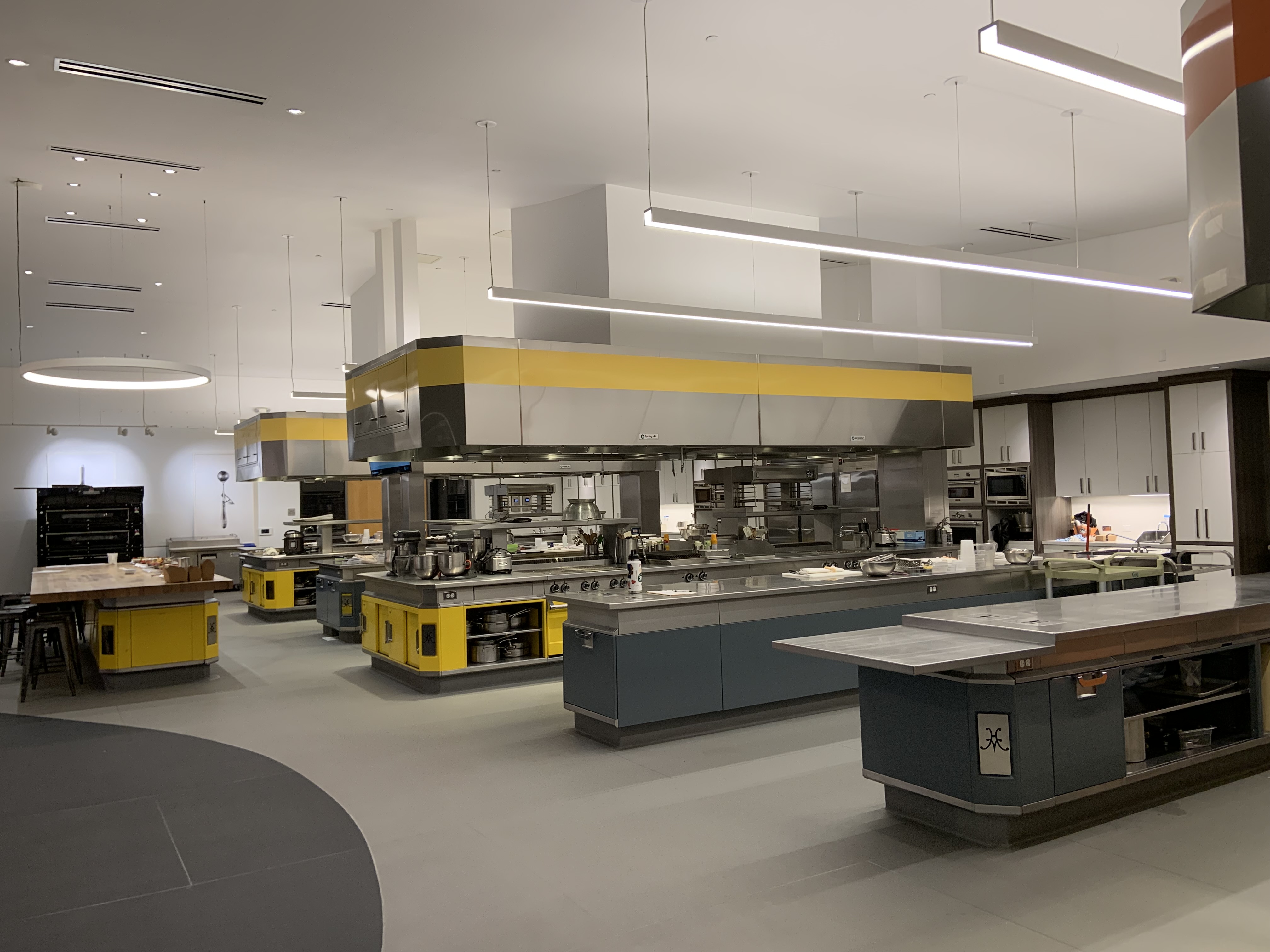
Real example photograph
Tap a number on the real kitchen photograph to explore a sample cleaning record. Use Full layout for the walk-in fridge, freezer and hidden surfaces.
Example photograph · fictional cleaning records
This is a real commercial kitchen used to illustrate the demo. The sample café, people, schedules and cleaning history are fictional. The full layout is illustrative and does not reproduce this photographed room.
Colours: green 10 → amber 5 → red 1Select an area for its schedule score and work status.
READY TO PUT YOUR OWN KITCHEN IN ORDER?
Make the next one yours.
This demo uses fictional people and records. Your restaurant workspace keeps real routines, staff access and professional services in their own programs.